People that are looking to keep a “functional” video game backlog, or use similar principles to track other hobbies. People that have some knowledge of Notion databases or are not afraid to dig into the documentation.
My problem
I have loved video games ever since I was a child, but it was only in my adulthood that I began keeping up with the latest releases. Video game showcases have become something I look forward to every year, yet they’ve brought a bit of an issue with them. A very extensive list of games that I’d like to play… someday.
It’s fun to follow a livestream full of reveals and make note of everything that catches my attention. However, this list has grown so long that when I have time to dive into a game, I actually find myself getting decision paralysis. The list grows bigger, games get forgotten, and I am filled with regret.
My (over-engineered) solution
I set out to create a backlog that would behave less like a list, and more like a tool to help me decide what to play next. I achieved this by creating a Notion database with a formula that would assign games a priority score based on some properties. Then, I sorted it by score to obtain an order that I could follow losely.
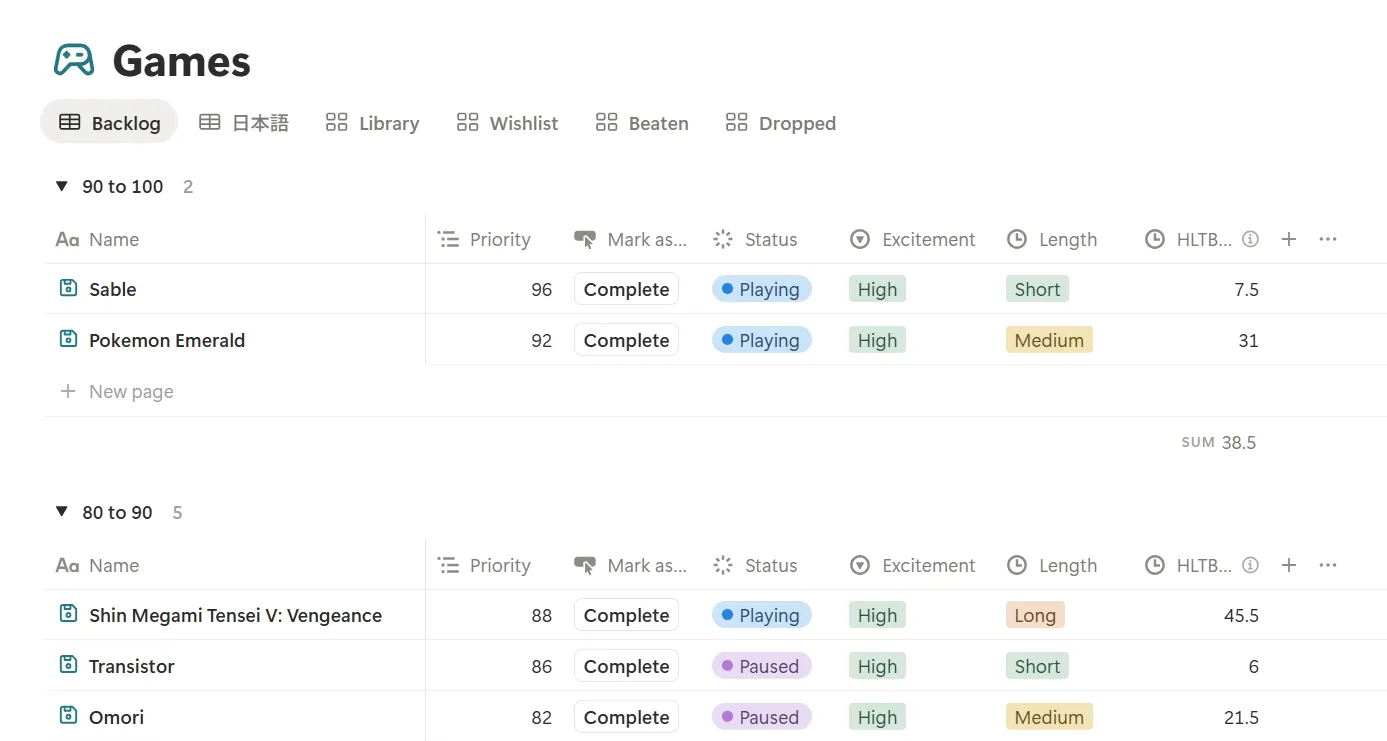
While this post focuses on a video game backlog, you can use the same principles to prioritise any kind of media. I’ve actually used this method to organise my reading list too!
This project was partly inspired by Daryl Talks Games’ YouTube video ‘A Missguided Guide To Finishing Your Gaming Backlog’.
Defining what matters
The first and most important step to prioritising your backlog (or anything, really) is to define the factors that are important to you.
What affects your choice when deciding what to play next?
After giving this some thought, I came up with three properties, which will of course be different depending on what you value most.
Current status
I’ve combined two different factors into one for my own convenience: ownership and play status.
In terms of ownership, I’d like to first play through the games that I already own before buying any new ones. I also want to account for games that are yet to be released and give them a lower priority. The resulting categories were:
- “Unreleased” for games that haven’t come out yet.
- “Want to buy” for games that I plan to purchase in the future.
- “Owned” for games that I already have access to.
As of the time of writing, Notion does not support automatically updating a property based on an elapsed date, so I’ll need to change a game from “unreleased” to “want to buy” manually.
When it comes to play status, I’d rather complete the games that I’m currently playing or I’ve put on hold before jumping into a new one. I’m also accounting for games that are blocked by a previous entry of the same series. The categories comprising play status were:
- “Blocked” for games that I can’t play yet because of story continuity.
- “Paused” for games that I’ve put on hold but plan to finish.
- “Playing” for games that I’m currently playing.
And the following two categories, which will be filtered out:
- “Beaten” for games that I’ve already completed.
- “Dropped” for games that I don’t plan to finish.
Length
Length refers to how many hours it typically takes to complete the main objective or story. To find out how long a game is, I use HowLongToBeat.
If I’m starting a new game when I already have several on hold, I’d rather play a short game to minimise the risk of abandoning another long game. This isn’t always the case and there will be times when the length isn’t that important, but I can always adjust the weight that I attach to this factor later on. I categorised games into the following:
- “1 go” for games under 5 hours long.
- “Short” for games between 5 and 15 hours.
- “Medium” for games between 16 and 40 hours.
- “Long” for anything over 40 hours.
Of course, this could also be kept as a numerical property, but the categories help me get a quick idea of how much commitment a game needs.
Excitement
The third and last factor refers to how much I’m looking forward to playing the game. Some of the games in my list are certainly more exciting than others. This isn’t the most objective or easily quantifiable measurement, but it does play a big part in what I play next. I defined three levels of excitement:
- “High”
- “Medium”
- “Low”
Creating and populating the backlog
After defining what mattered, I created a database in Notion and populated it with all the games I had in my list. It can be quite a bit of work at the start, but will get easier as you update it regularly.
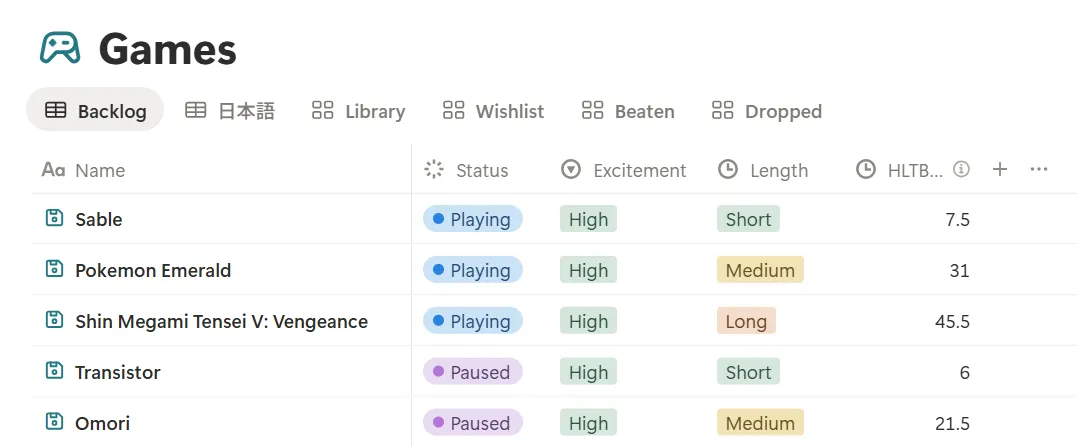
Besides the factors mentioned above, I personally like to make note of other useful details, such as the platform and release date. I also created separate views with filters based on status; games in my library, games I don’t own yet, completed games…
Defining the prioritisation formula
Now that I had my backlog set up, it was time to create the formula that would return a priority score for each game.
The factors
As discussed previously, I had defined three factors that would influence the priority: status, length, and excitement. However, they were all non-numerical. To turn them into something I could feed into the formula, I assigned a value to each possible state of each factor. Take the current status, for example:
- “Unreleased” / “Want to buy” / “Blocked” = 0
- “Owned” = 6
- “Paused” = 8
- “Playing” = 10
I distributed these values across the range of 0 to 10 for all factors. These may be different for you, depending on your priorities and whether you want to use a linear relationship or not.
The formula
With the values assigned, I could now create a formula that would calculate a priority score for each game. I wanted current status to hold a bit more weight, with excitement following, and length being the least influential factor.
Score = (0.5*CSN) + (0.3*EN) + (0.2*LN) * 10Where CSN is the numerical value for current status, EN is the numerical value for excitement, and LN is the numerical value for length. I also multiplied the result by 10 to get a score from 1 to 100.
When assigning values to each category of length, I made sure that shorter games had higher values. If I had used a numerical property instead (for example, 32 hours), I would have had to invert its value in the formula so that shorter games would yield a higher score.
Adapting the formula to Notion syntax
Translating this formula into Notion’s syntax was probably the most challenging part of this project. Let’s just say the final result is not the prettiest.
You’ll need to turn your factors into if statements that represent the different categories and their corresponding numerical values. Think about it this way: looking at the final formula, if CSN is “Playing”, then its value will be 10, but this will change to 8 if the status is “Paused”. Here’s what that looks like in Notion:
0.5 * if(prop("Status") == "Playing", 10,
  if(prop("Status") == "Paused", 8, 0))
The statement above is saying: if the property “Status” is “Playing”, return 10. Otherwise check if the property “Status” is “Paused” and if this is true, return 8. Otherwise, return 0. Accounting for the other statuses, the final “current status” component would look like this:
0.5 * if(prop("Status") == "Playing", 10,
  if(prop("Status") == "Paused", 8,
  if(prop("Status") == "Owned", 6, 0)))
The other factors will follow the same logic. The only difference is that if the game is unreleased, I want a final priority score of 0, so I’ve added an initial check for that in each factor.
The final formula looks like this:
round(0.5 *
	if(prop("Status") == "Playing", 10,
	if(prop("Status") == "Paused", 8,
	if(prop("Status") == "Owned", 6, 0)))
+ 0.3 *
	if(prop("Status") == "Unreleased", 0,
	if(prop("Excitement") == "High",10,
	if(prop("Excitement") == "Medium", 8, 4)))
+ 0.2 *
	if(prop("Status") == "Unreleased", 0,
	if(prop("Length") == "1 go", 10,
	if(prop("Length") == "Short", 8,
	if(prop("Length") == "Medium", 6, 4)))))
* 10
It might not be the prettiest… but it does the job.
To actually implement it on my backlog, I simply created a new “Priority” property of the formula type and pasted the formula into it.
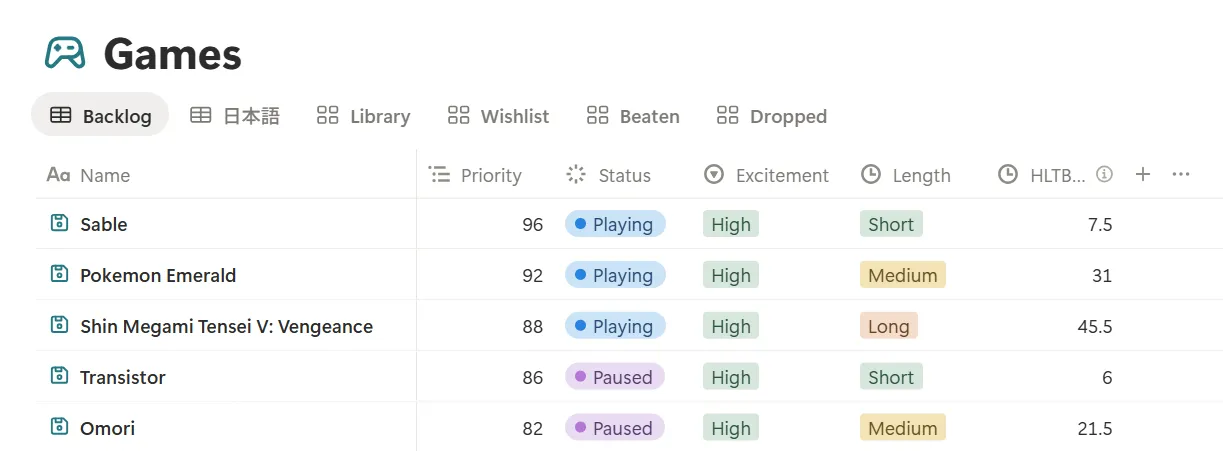
Phew! That takes care of the most complex part. Now it’s all about keeping things organised.
Sorting and grouping
With the scores calculated, I sorted my database by “Priority” and obtained an ordered list of games to play. I also added a second sorting based on their average length so that the shorter games would be shown first.
Finally, I grouped the games in ranges of ten points. Notion allows you to collapse individual groups and remembers their states, so they’re a good way to make the backlog easier to scan.
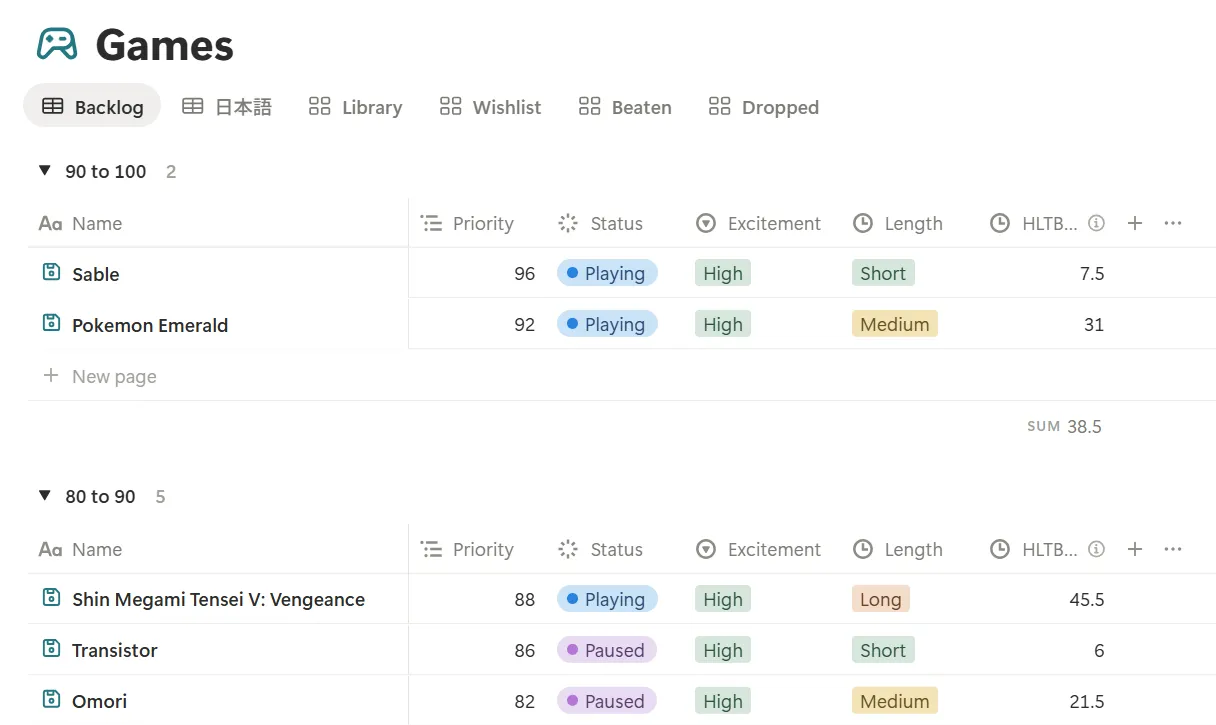
With this, my video game backlog was finally prioritised and organised!
Conclusion
When I first picked up this project, I approached it as a fun Notion exercise, and it did help me become more familiar with the formula syntax.
To be honest, I didn’t have high hopes that it would actually help me get through my list, but I’ve been using it for about two years now and it has made a noticeable difference. I don’t always stick to the first game it suggests, but choosing from a much smaller group near the top of the list helps me avoid decision paralysis. I’m not only getting through more games now, but making smarter financial decisions by playing the games I already own first, and enjoying more of the shorter games that I used to constantly put off.
Now, if only I could tackle my reading list with the same enthusiasm… 📚